A custom internal software application that centralizes recurring tasks, approvals, and operational reporting for P&H Milling.
Technologies
React 18
Node.js
AWS
The client
P&H Milling.
P&H Milling needed to digitize recurring operational work and give its teams a clear view of task execution, approvals, and performance. The internal platform, PH Central, brings that work into one place.
The opportunity
Where we started.
Paper forms and handwritten records made work difficult to assign and track. Teams could not easily see who completed a task, when it happened, or who approved it. Recurring schedules, misplaced information, and data-entry errors made reporting and historical traceability even harder.
Our approach
What we built.
We built a custom information system around the client's existing business rules and procedures. Digital workflows now support task assignment to users and groups, recurring schedules, status and approval control, historical traceability, PDF generation, notifications, dashboards, and audit logs.
Recurring task schedules based on existing operating procedures
Assignments for individual users and teams
Status tracking, approval workflows, and audit logs
PDF reporting, notifications, and management dashboards
Platform walkthrough
From recurring tasks to clear oversight.
A closer look at the tools connecting daily tasks, completed records, document management, and verification.
01
Login.
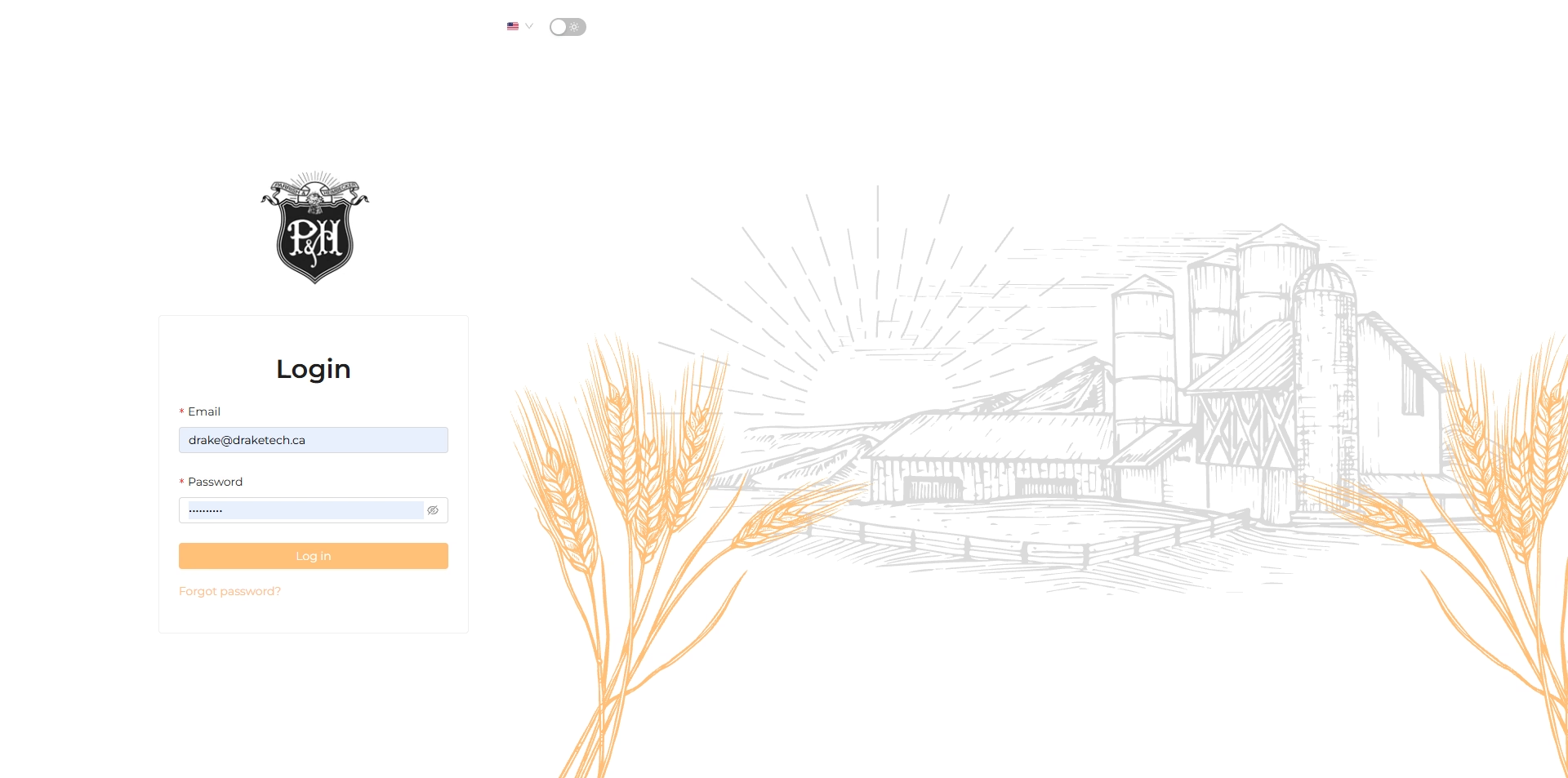
The P&H Milling sign-in screen provides access to the internal operations application.
02
Task overview.
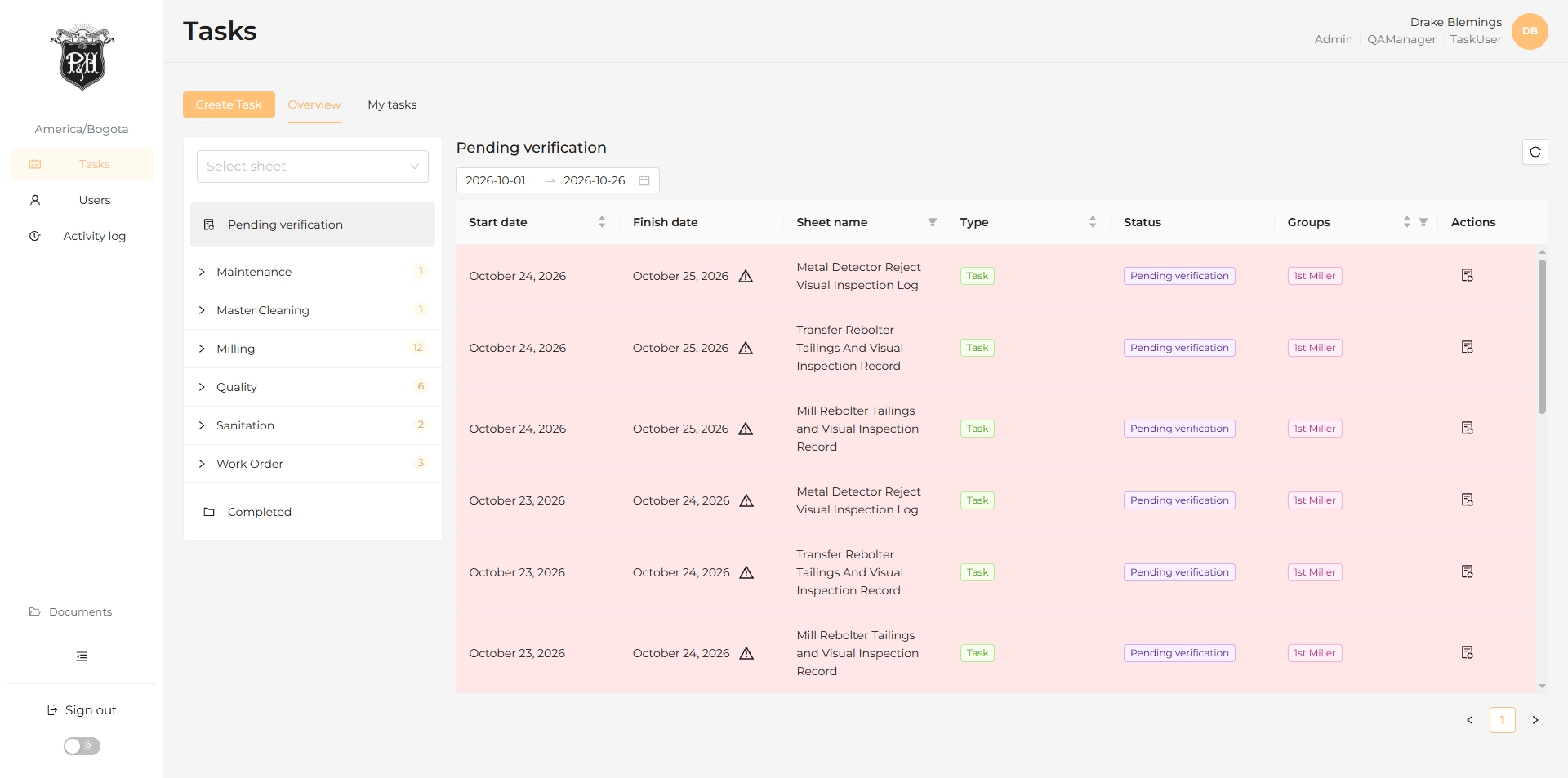
A central task list groups operational records by status, dates, sheet name, and type.
03
Task scheduling.
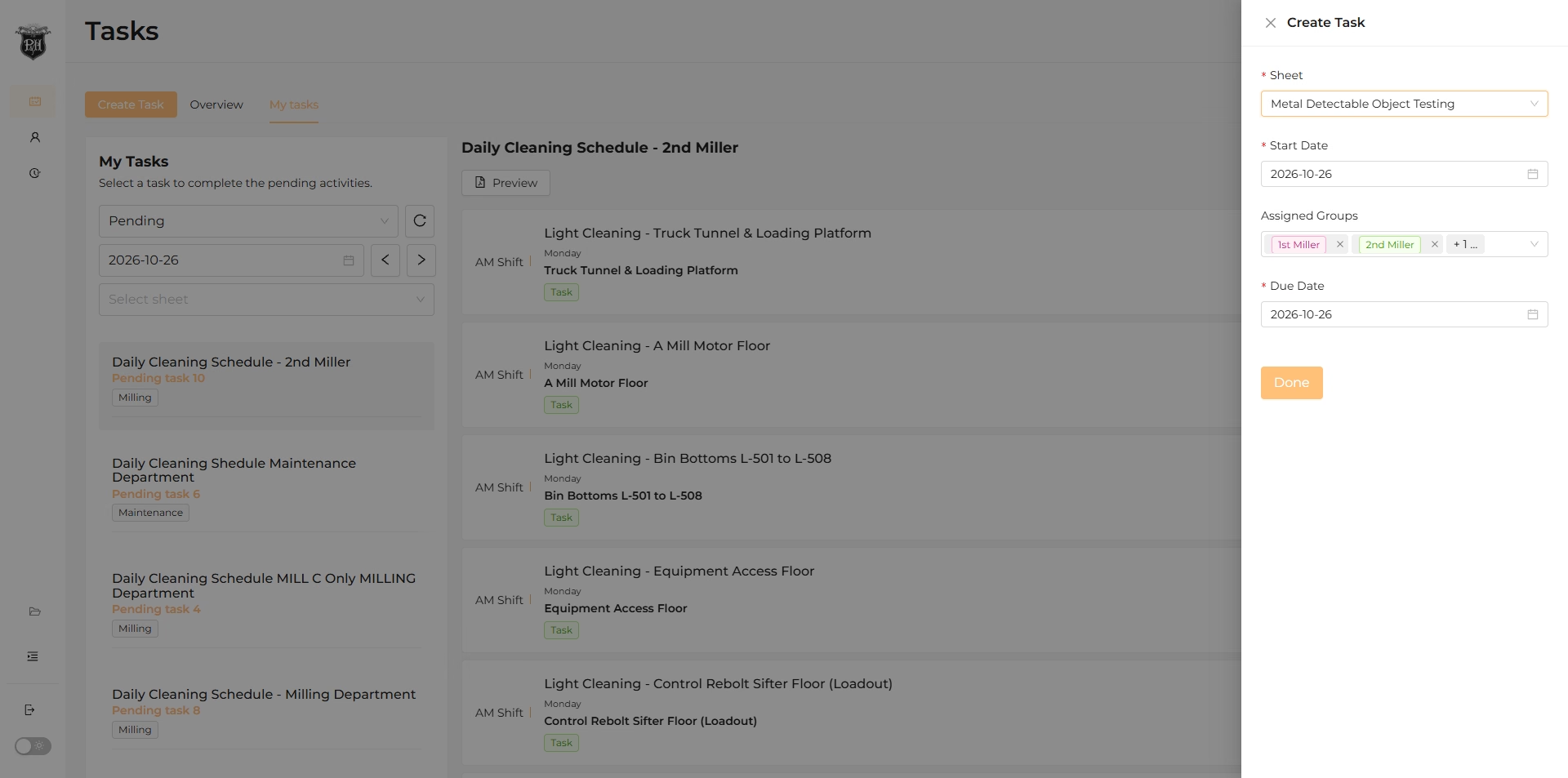
The task creation panel connects an operational sheet with start and end dates, weekdays, and a due time.
04
Assigned tasks.
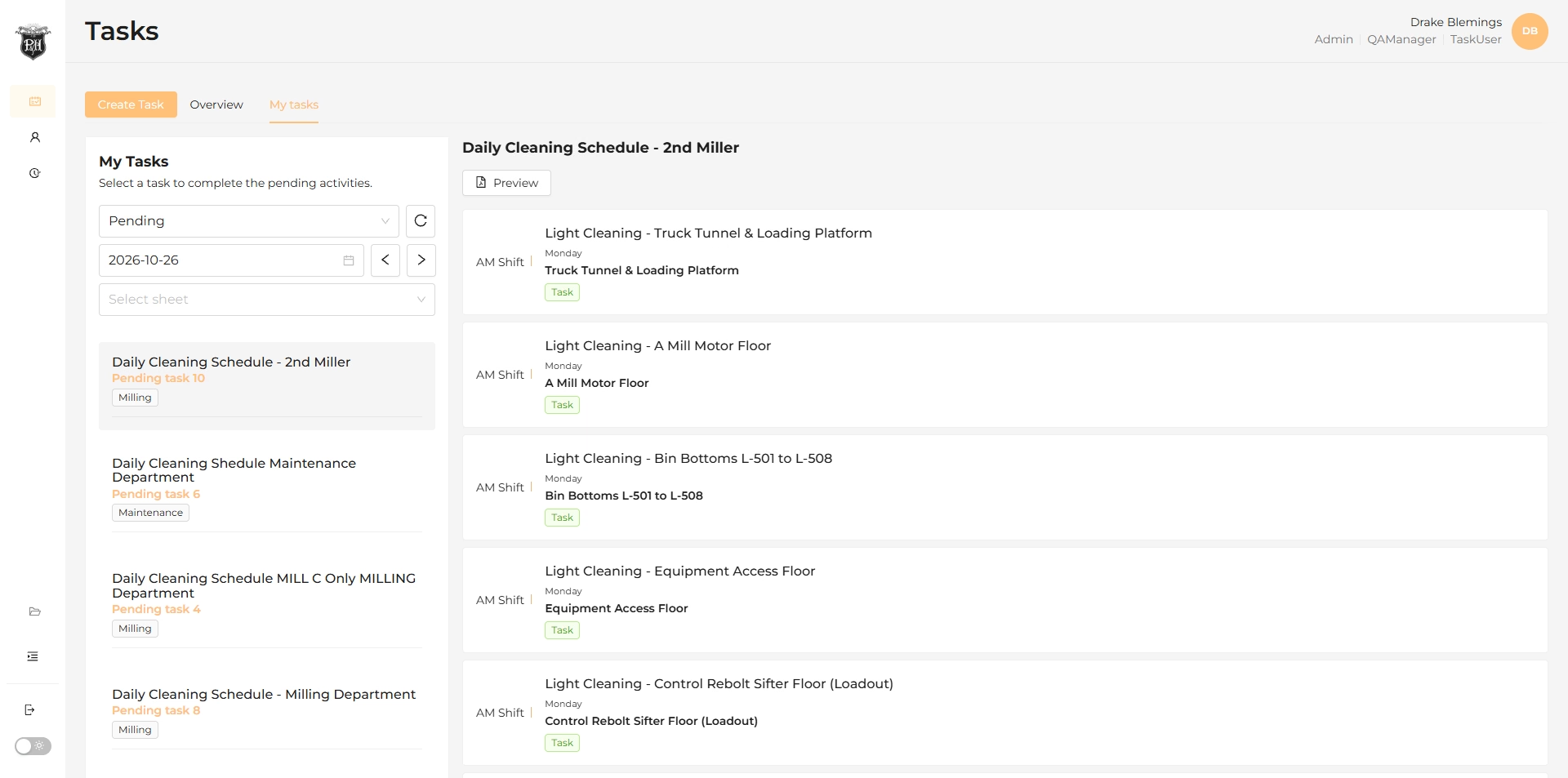
The My Tasks workspace groups daily schedules and individual activities for the team to complete.
05
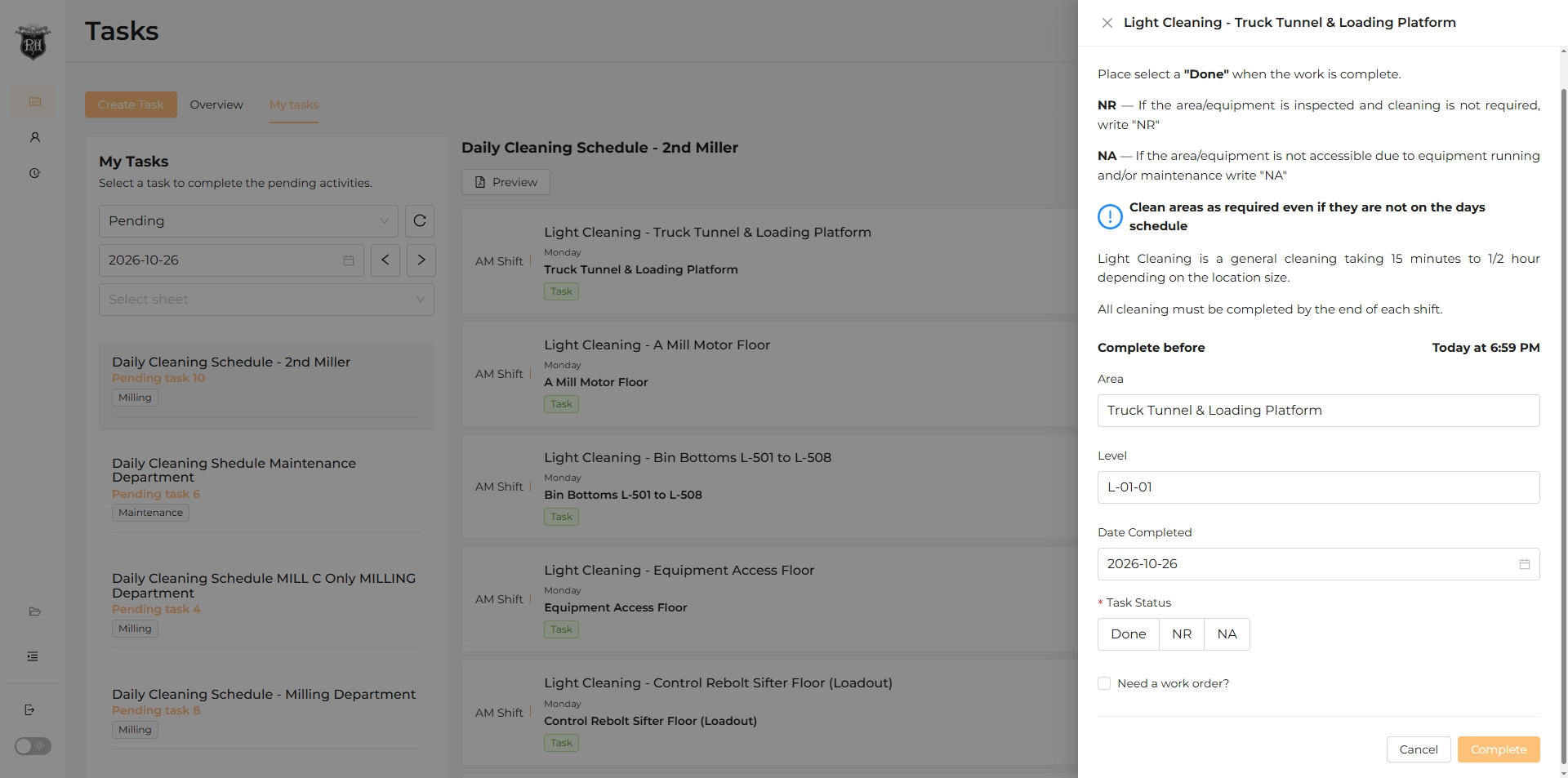
Task completion form.
A task panel presents instructions, location details, completion date, and status options alongside the work list.
06
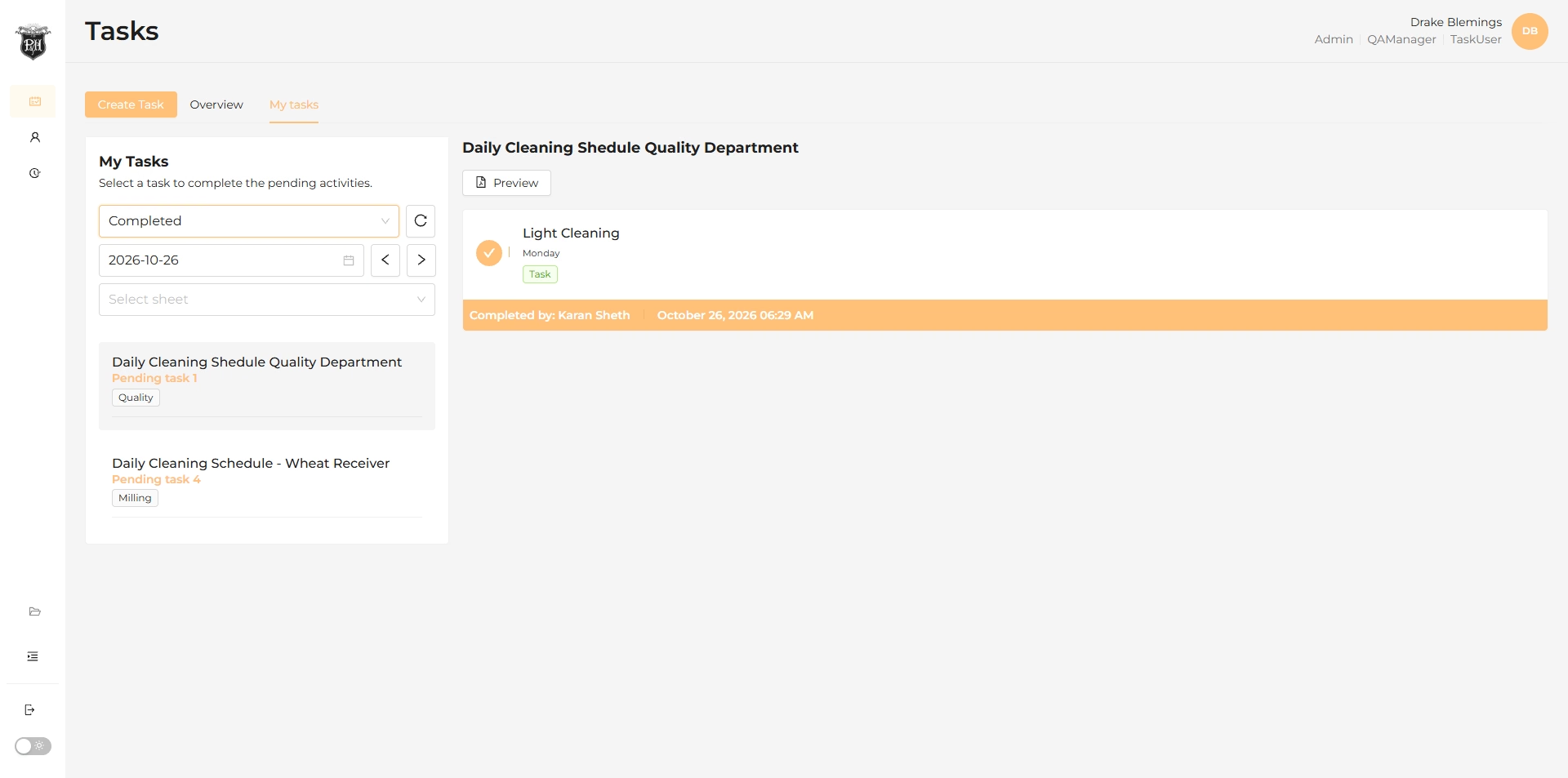
Completed work.
The completed view keeps finished activities and their completion status visible within the daily schedule.
07
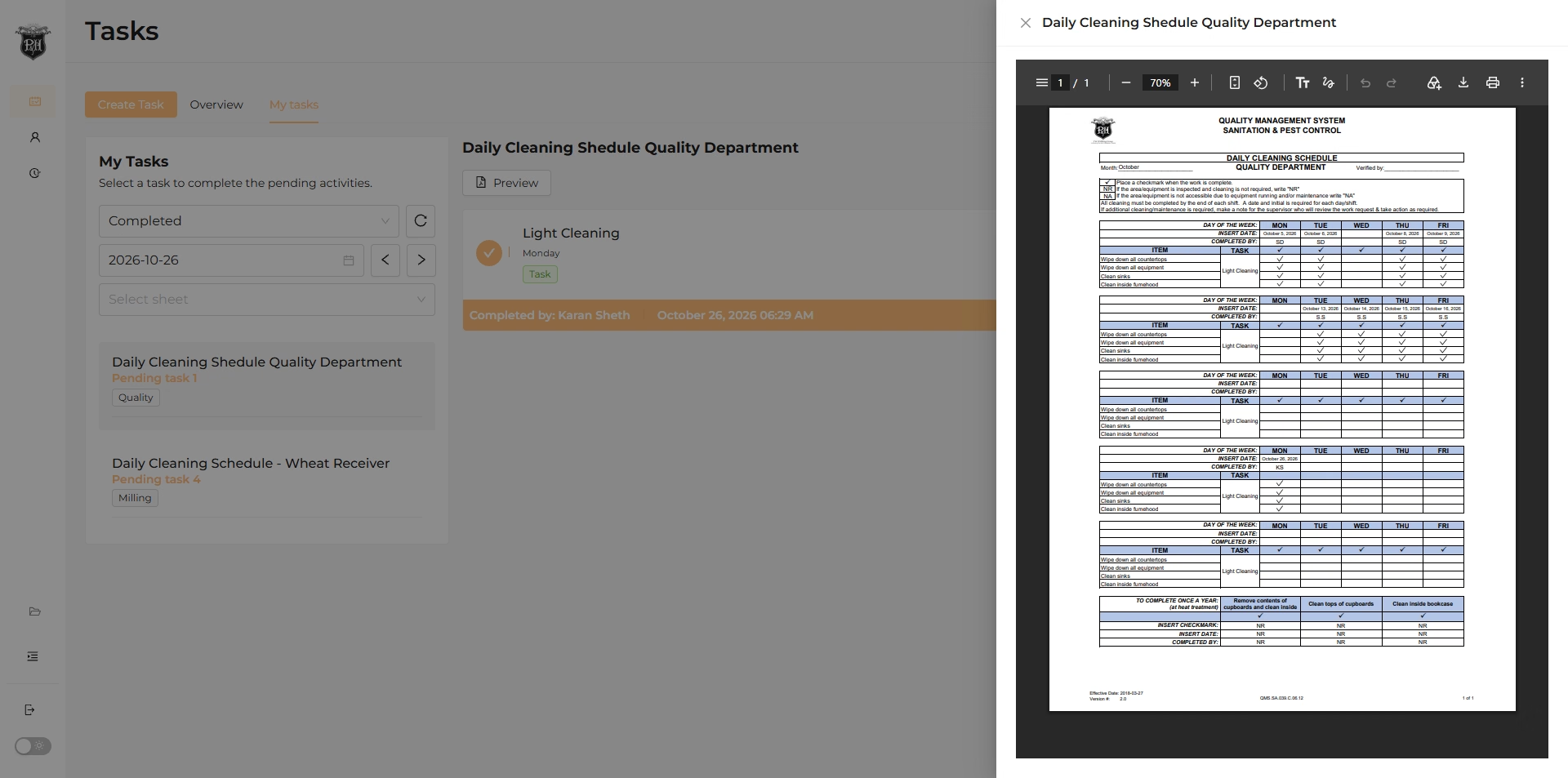
Completed task records.
An embedded PDF viewer presents the completed operational sheet within the task workspace.
08
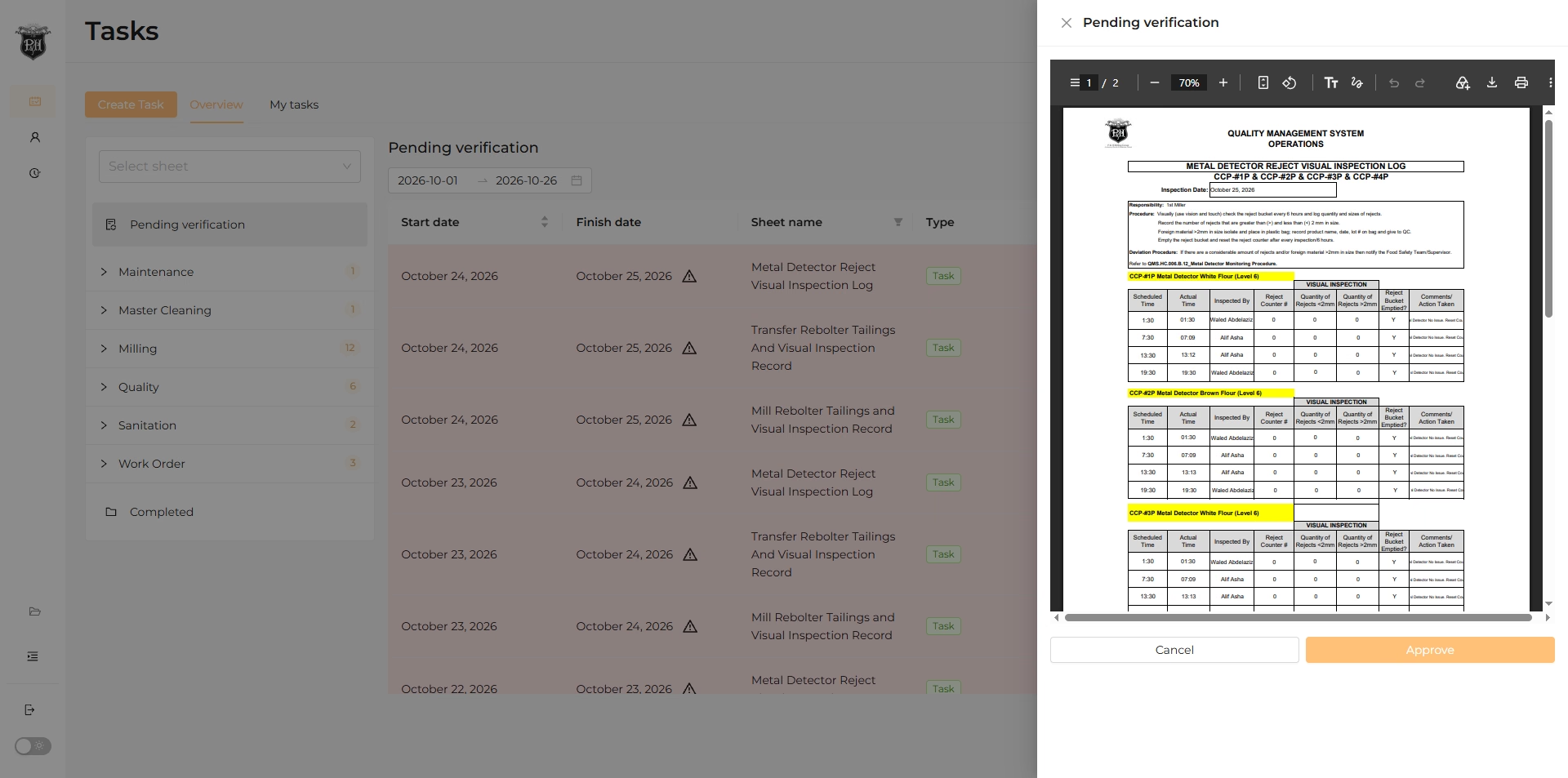
Verification workflow.
The verification panel brings the submitted record and its review action into the same view.
09
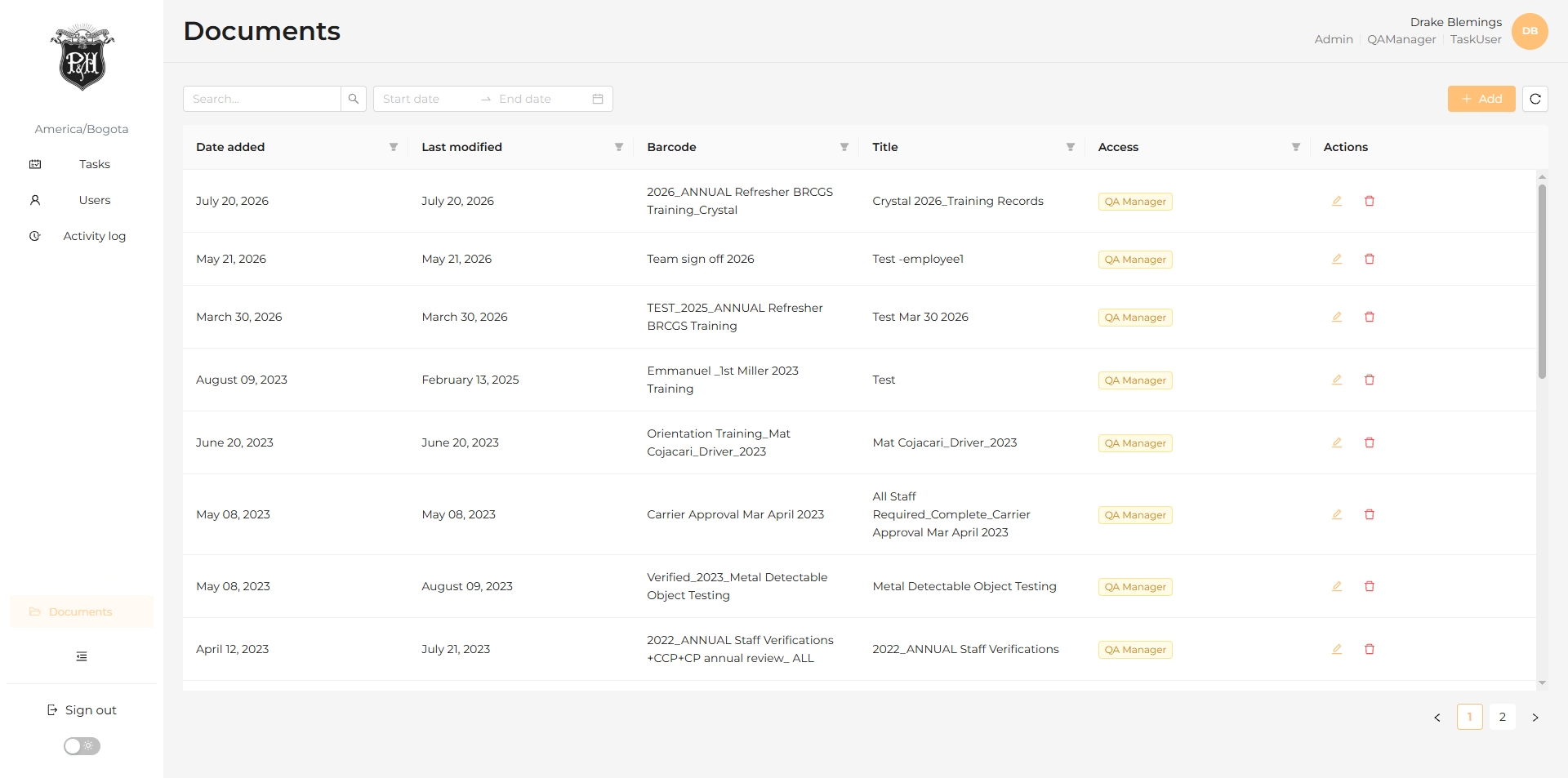
Document library.
A shared document table organizes operational files with dates, names, types, access information, and actions.
10
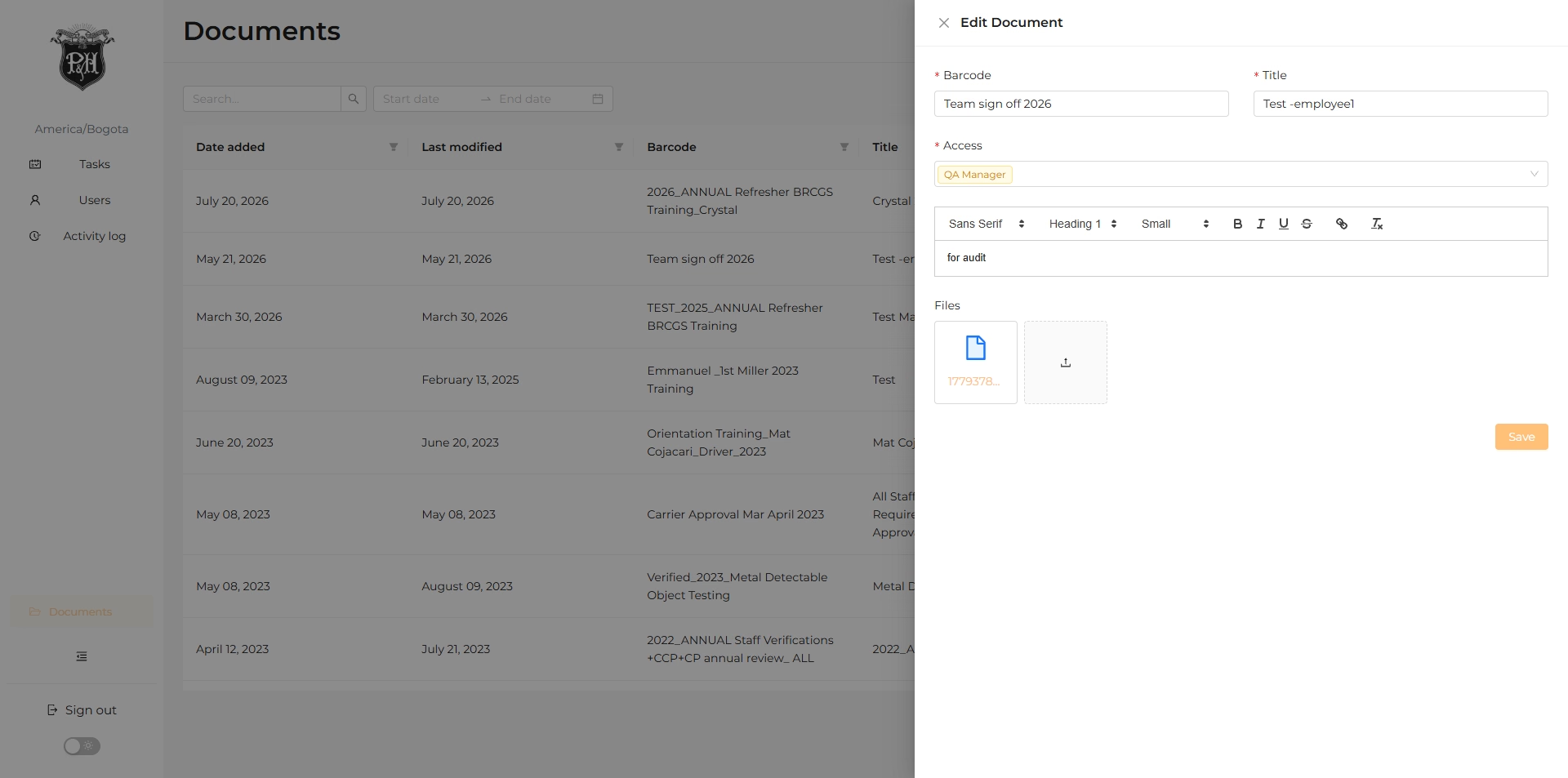
Document editing.
An editing panel lets the team manage document details and supporting files.
11
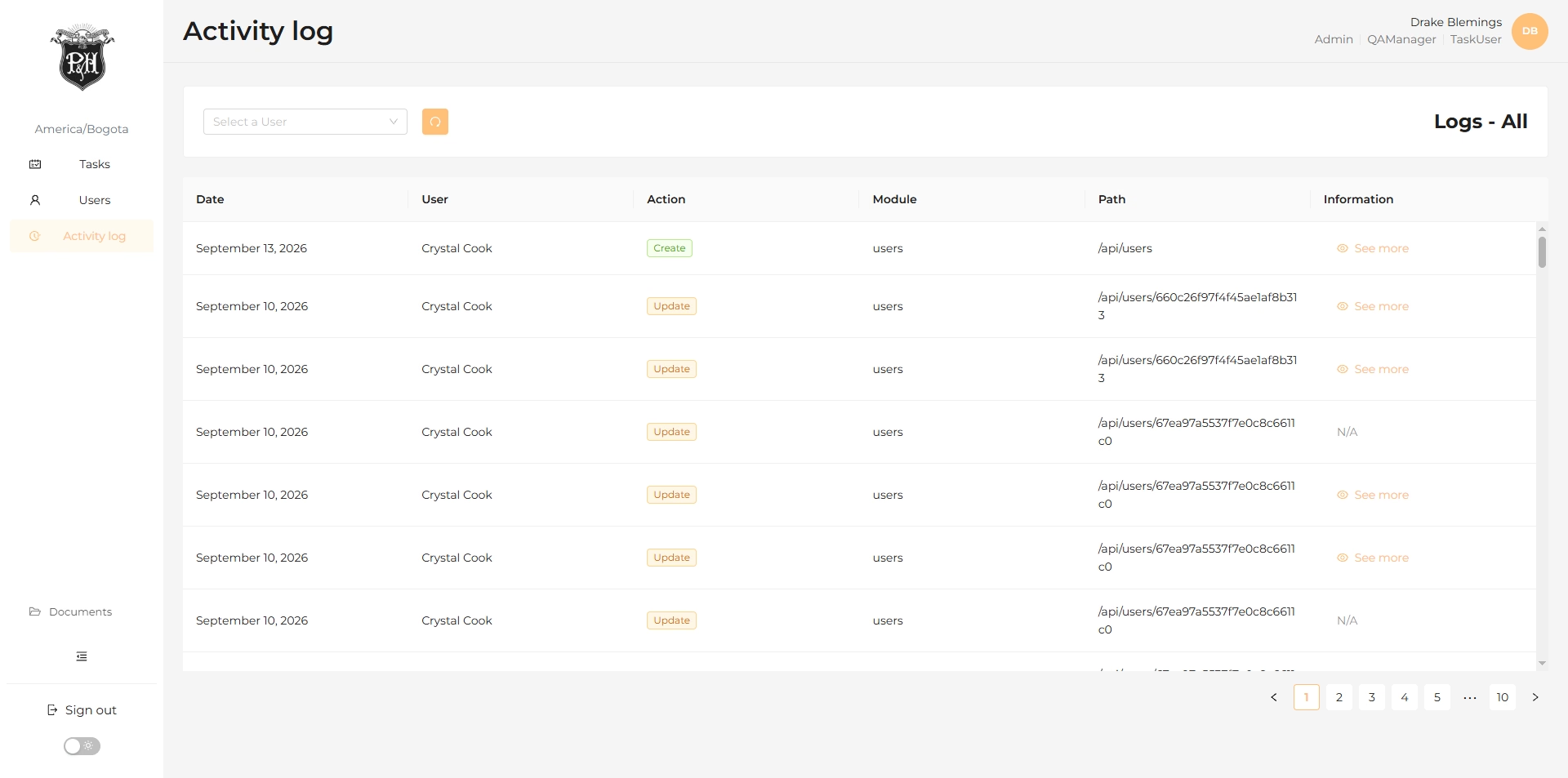
Activity history.
The activity log records users, actions, modules, and timestamps for operational traceability.
The outcome
From paper records. To centralized operational control.
90%
Increase in task management and operational control